
TL;DR
Extract the current legend handles and labels using ax.get_legend_handles_labels(). Reorder or rename them as needed, then pass them back to ax.legend().
import matplotlib.pyplot as plt

fig, ax = plt.subplots(figsize=(6, 4.5))
line_f, = ax.plot(years, growth_fast, label='g_fast')
line_st, = ax.plot(years, growth_steady, label='g_steady')
line_sl, = ax.plot(years, growth_slow, label='g_slow')

# Reorder (Slow first, then Steady, then Fast) and rename them
handles = [line_sl, line_st, line_f]
custom_labels = ['Slow Growth', 'Steady Growth', 'Fast Growth']

ax.legend(handles, custom_labels, loc='upper left')
plt.show()
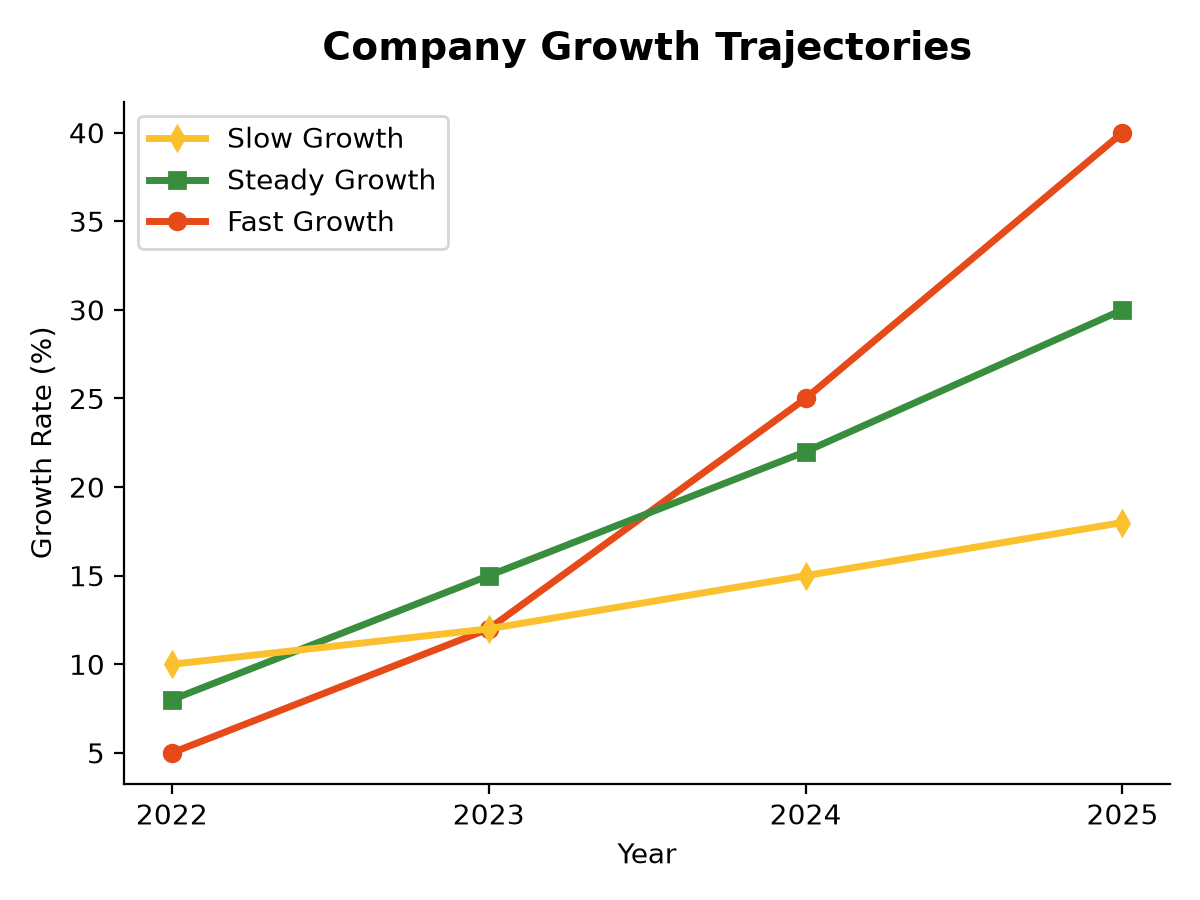
Extracting Handles and Labels
Matplotlib automatically keeps track of what you plot. Each line, bar, or scatter dataset is represented as a handle (artist object), and the associated text is the label.
To customize the legend without changing your plotting code or data structure, extract these objects first:
handles, labels = ax.get_legend_handles_labels()
Reordering Legend Items
By default, Matplotlib lists legend items in the order they were plotted. Sometimes, you want to reorder them (for example, to match the visual vertical order of lines on the right side of the chart).
Reorder the extracted lists using a list comprehension or index selection:
# Desired order index list (e.g. reverse order)
order = [2, 1, 0]

# Reorder both handles and labels
reordered_handles = [handles[i] for i in order]
reordered_labels = [labels[i] for i in order]

ax.legend(reordered_handles, reordered_labels)
Overwriting Label Names
If your data source has messy column names (e.g., "val_temp_celsius_hourly") and you want clean labels in the legend (e.g., "Temperature"), overwrite the labels when calling legend() by passing a new list of strings:
handles, labels = ax.get_legend_handles_labels()

# Provide a list of clean text labels matching the order of handles
ax.legend(handles, ['Temperature', 'Precipitation', 'Wind Speed'])
This allows you to keep your raw data identifiers unchanged while displaying clean typography to the reader.